MergeLoop

Changelog

New features, improvements and fixes in MergeLoop.

Improved

Meet MergeLoop

MergeLoop is the new name, at mergeloop.ai. Your repos, queues and settings carry on as before. Old dashboard links take you to the same page at the new address.

More

Existing mergepatrol labels, config files and agent skill paths still work.

Improved

A default model, with an override per task

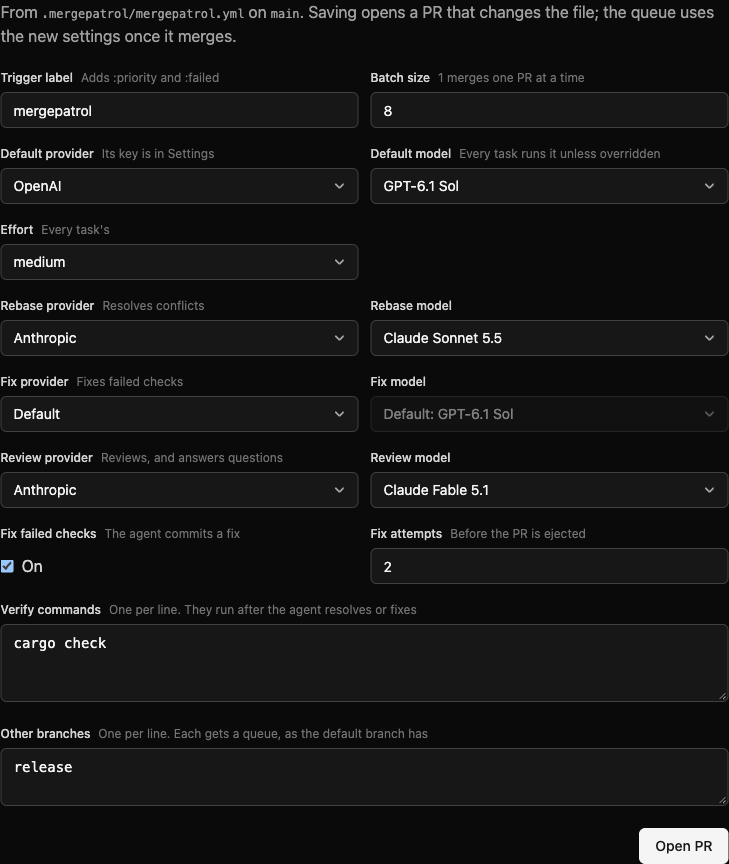
A repo’s settings list each provider’s current models by name, so you pick a model instead of typing its id. Switching the provider switches the model to one of its own.

A default model, with an override per task
More

The agent has one default model, and its three tasks can each override it: resolving a rebase’s conflicts, fixing failed checks, and reviewing. Run a fast model to resolve conflicts, say, and a stronger one to review. A task left on Default runs the default model, as every task did before.

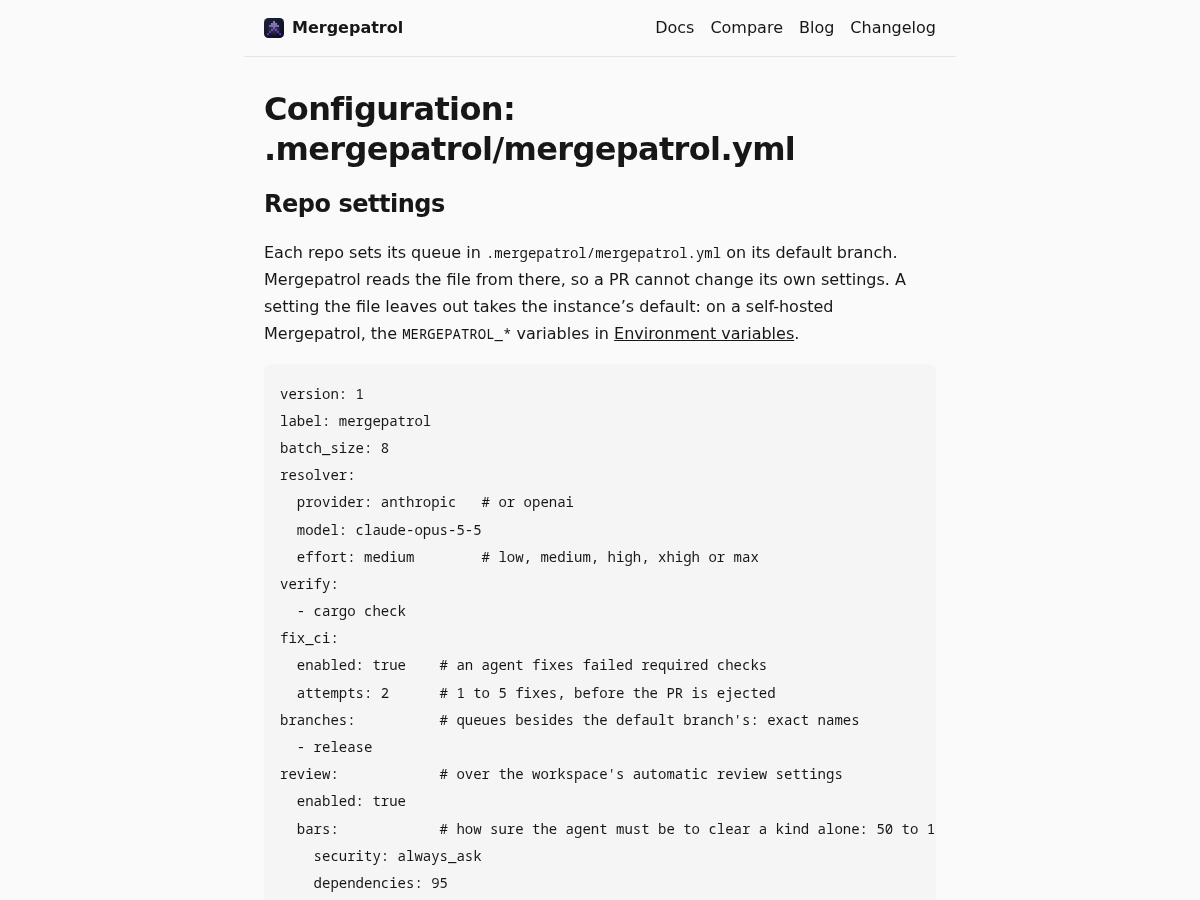
In the config file, the resolver: section is now agent:, with each task’s model under agent.overrides. A file that still says resolver: keeps working.

Improved

The Repos page lists repos beside the one you pick

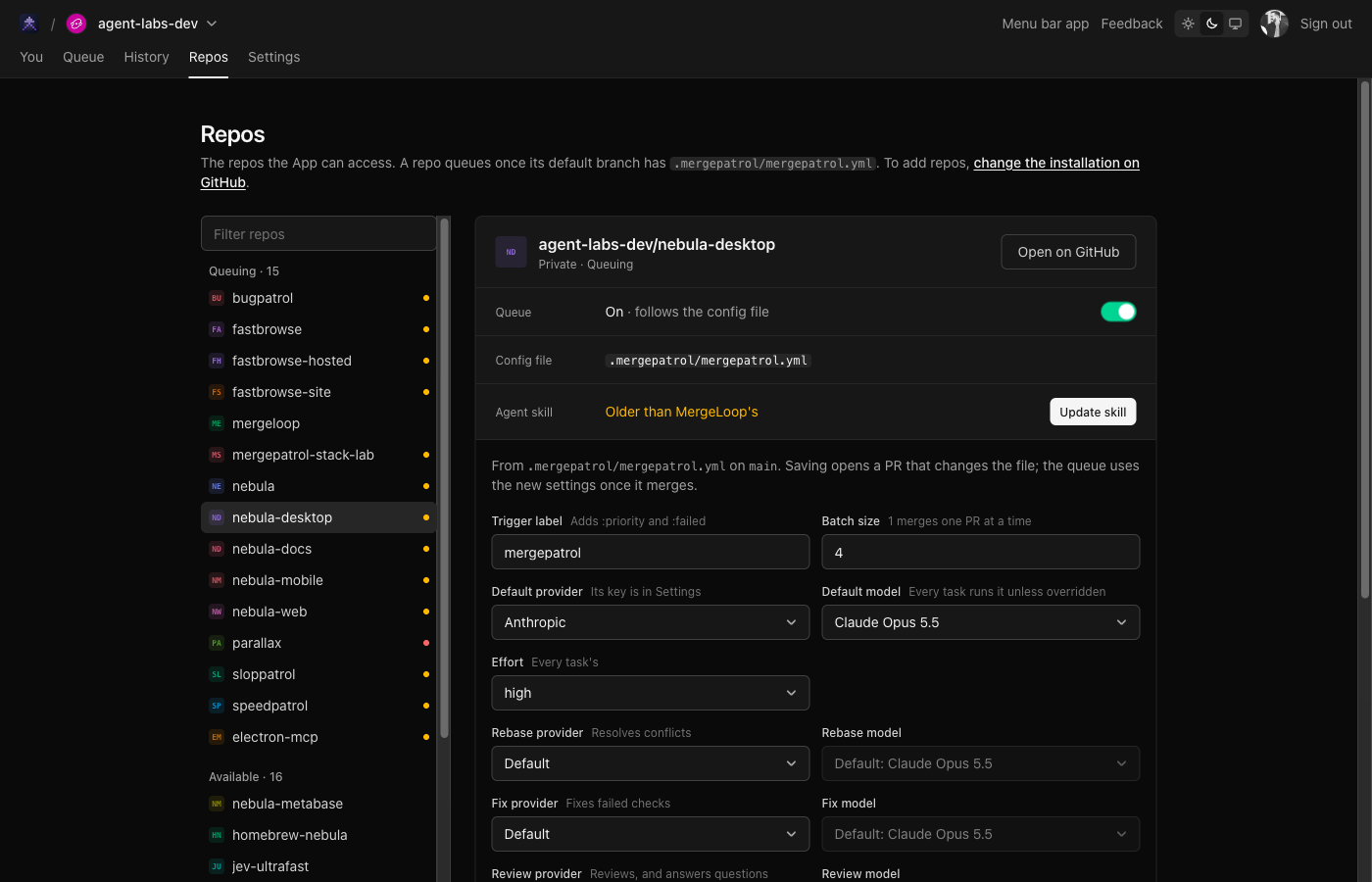
The Repos page lists your repos on the left, with a dot on each one that needs something from you. Pick one and its queue switch, config file, agent skill and settings sit side by side on the right, with the one button that fixes each.

The Repos page lists repos beside the one you pick
More

The rows no longer carry three buttons each, so a long list of repos reads at a glance.

Improved

The status says what will stop a PR, before you queue it

A PR’s status, in the API and in MCP, now says before you queue it when the queue would hold it whatever the PR, as on a private repo without a subscription, and when the workspace has no model key for the agent to resolve conflicts, fix failed checks, or review. Queuing a PR from the dashboard or an agent says the same, instead of a bare “Done.”

More

A PR ejected because its rebase conflicts and the workspace has no key now names the provider the repo’s settings use, and links to the dashboard’s settings, where you add the key.

Improved#165

The You tab is down to four folders

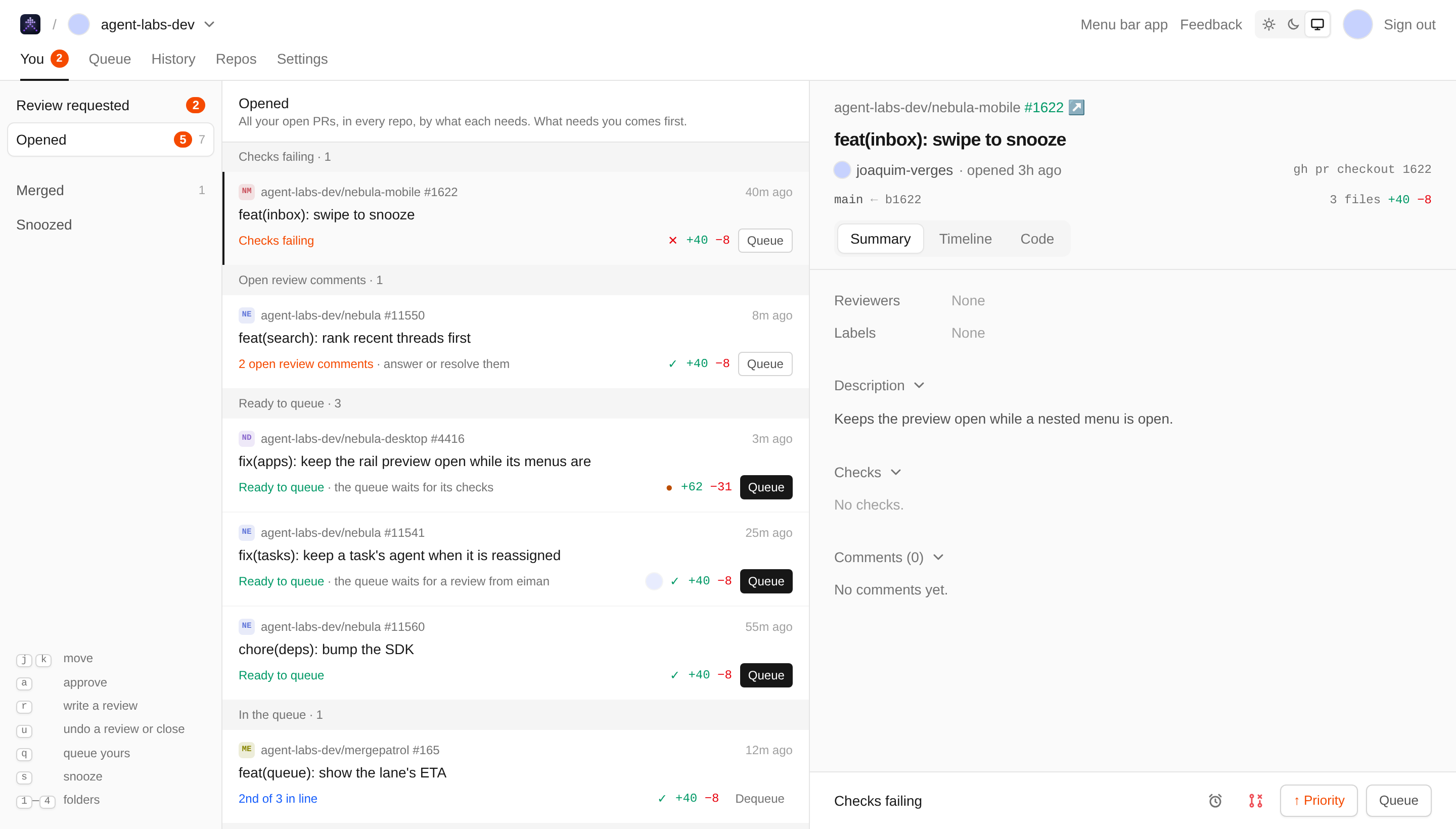
The You tab now has four folders: Review requested, Opened, Merged and Snoozed. Opened lists all your open PRs in one place, grouped by what each one needs: held in the queue, changes requested, checks failing, open review comments, ready to queue, in the queue, waiting on others, and drafts. What needs you comes first, and its count shows in red next to the folder.

The You tab is down to four folders
More

You can act from the list itself: Queue, Dequeue or Publish sits on each row, so you don’t have to open the PR first.

A PR whose checks are still running, or that waits on a review, now shows as Ready to queue in repos MergeLoop runs on. The queue waits for both on its own, so queueing it is your only move. It used to sit in Waiting on others.

Fixes

  • Answer a review from the first PR in the queue

    Answer them opens the review even when the queue picked the first PR for you. You can answer its questions without selecting the PR again first.

  • Merges follow the base branch's rulesets

    The queue merges with a method the base branch’s rulesets allow, so a repo whose ruleset allows only squash no longer has its PRs ejected for a merge commit. Private repos on GitHub Free, which have no rulesets, queue again instead of failing at every step.

  • Queue your own PR, for a reviewer to approve

    Answering the agent’s review of a PR you opened no longer dead-ends on “GitHub won’t let you approve your own PR”. GitHub never takes an author’s approval, so MergeLoop posts none: the dialog says Put it in the queue, and the PR takes its place there. Where the repo needs an approval to merge, it waits in the queue as Needs a reviewer until someone else approves it.

  • An agent with a GitHub token can turn a repo's queue on #181

    set_repo takes a GitHub token from anyone with admin access to the repo, so an agent can turn on the queue for a repo without a config file yet, in one call, without a MergeLoop sign-in.

New

Publish a draft PR from the dashboard

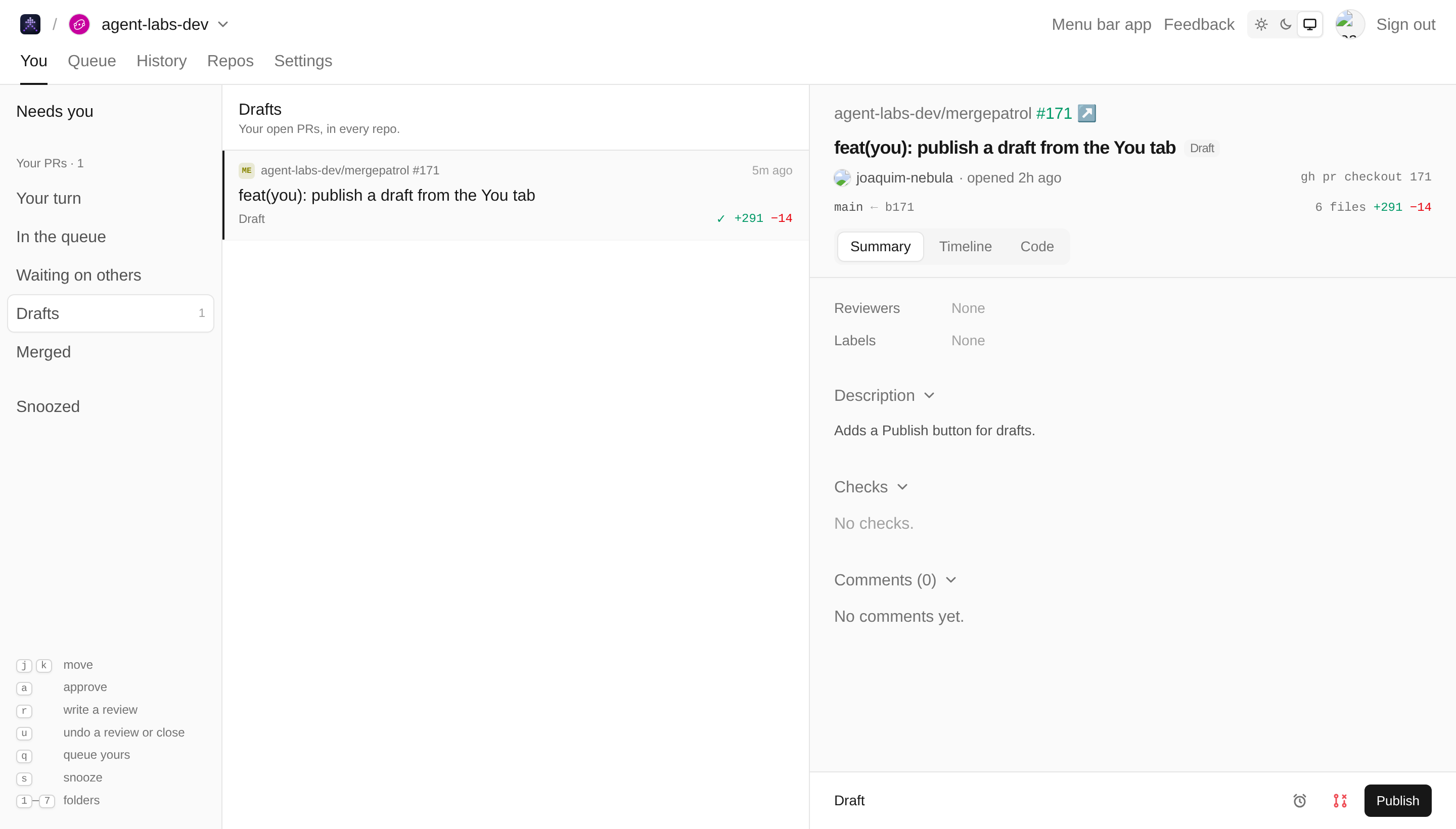
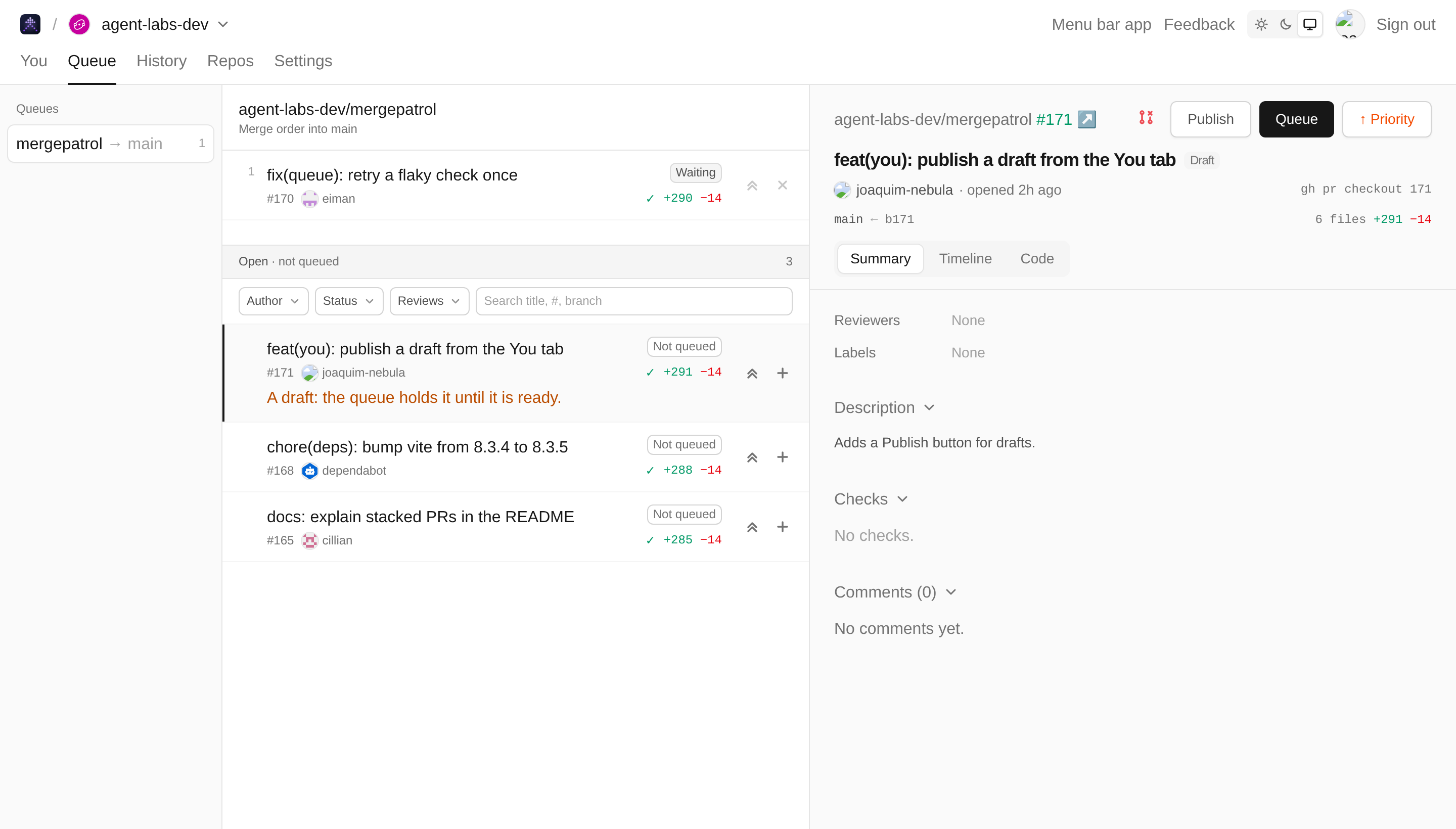
A draft PR now has a Publish button, in the You tab’s Drafts folder and beside Queue on the queue page. It marks the PR ready for review on GitHub, as you, so its reviewers are asked and the queue stops holding it.

Publish a draft PR from the dashboard
More

The close button is red now, so it reads as the action it is. On the queue page it moves out of the list, onto the PR’s pane beside Queue, so a stray click in the list can’t reach it.

Publish beside Queue on the queue page

Improved

Review comments go to the agent that built the PR, and resolving them is the gate

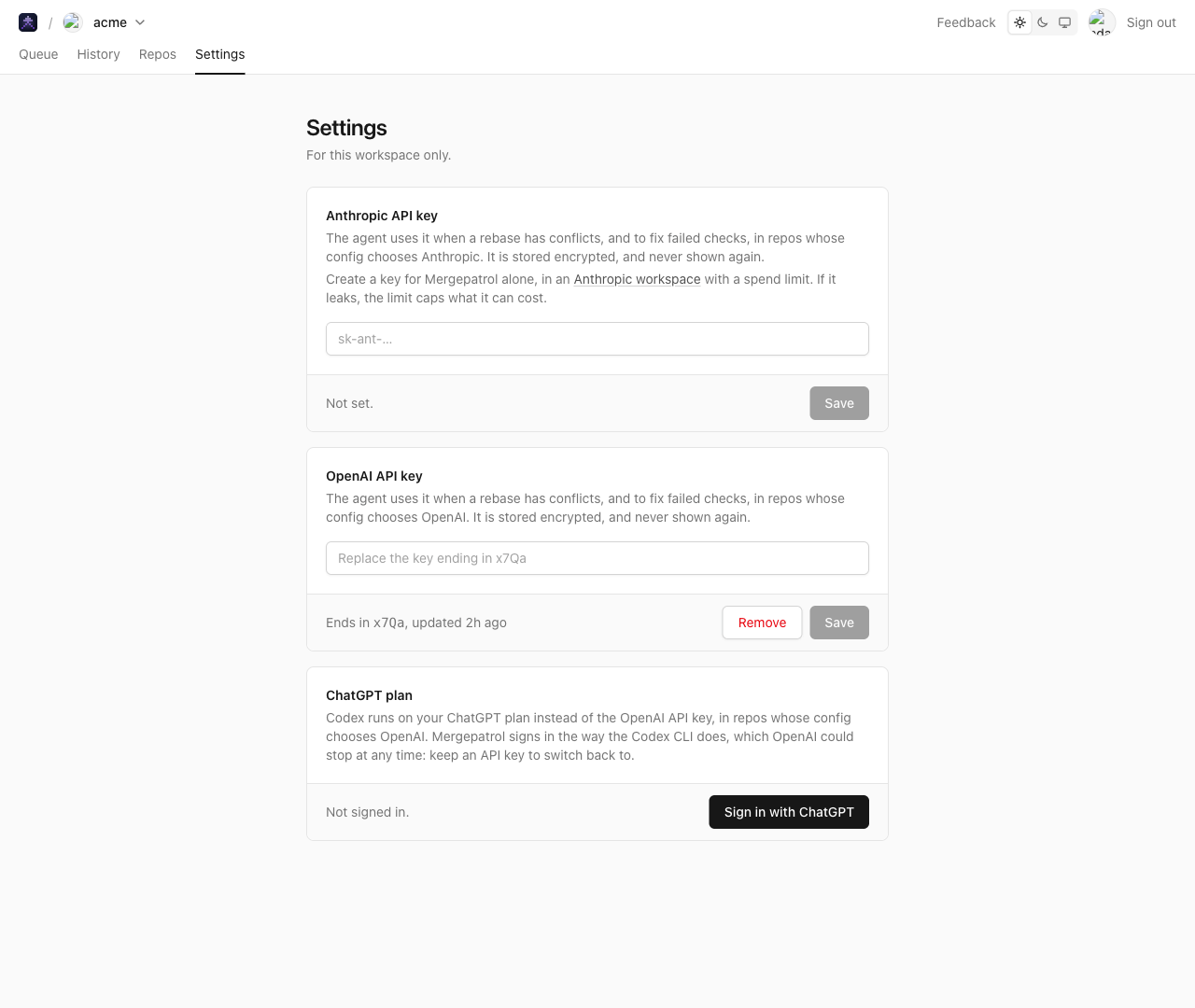
Automatic review is now on for every workspace with a model key. What it finds to fix goes back to the PR’s author, often the coding agent that built it, as a review comment on the line in question: one thread per finding. The author fixes each one and pushes, or replies with why it doesn’t apply, then resolves the thread. Once every thread is resolved, the PR goes on to the merge queue with no human approval.

More

The review stays adversarial. On the next push, it reads the author’s replies. A finding still there gets a reply in its own thread, which opens again, never a repeat comment. A thread whose finding is fixed, or whose reply holds up, is resolved. You’re asked only about what the author can’t settle, such as a call on scope or product, access it lacks, or a change outside the repo. You’re also asked when three rounds in a row still send findings back. Migrations still always go to a human.

Require resolved comments, on by default in Settings, holds a queued PR while any review thread on it is unresolved, whoever started it. Each kind’s bar now sets how sure the review must be to send a change back to the author: a lower bar sends back more, and a change under it is a note that holds nothing. The defaults are 60% for security, 70% for dependencies and public APIs, and 80% for everything else.

The MergeLoop skill that setup adds to a repo has coding agents work every comment after they queue: fixed, dismissed with a reason, or needing a human. They resolve each one as they go, and keep one review ledger comment up to date.

Improved

See how many review comments are still open on a PR

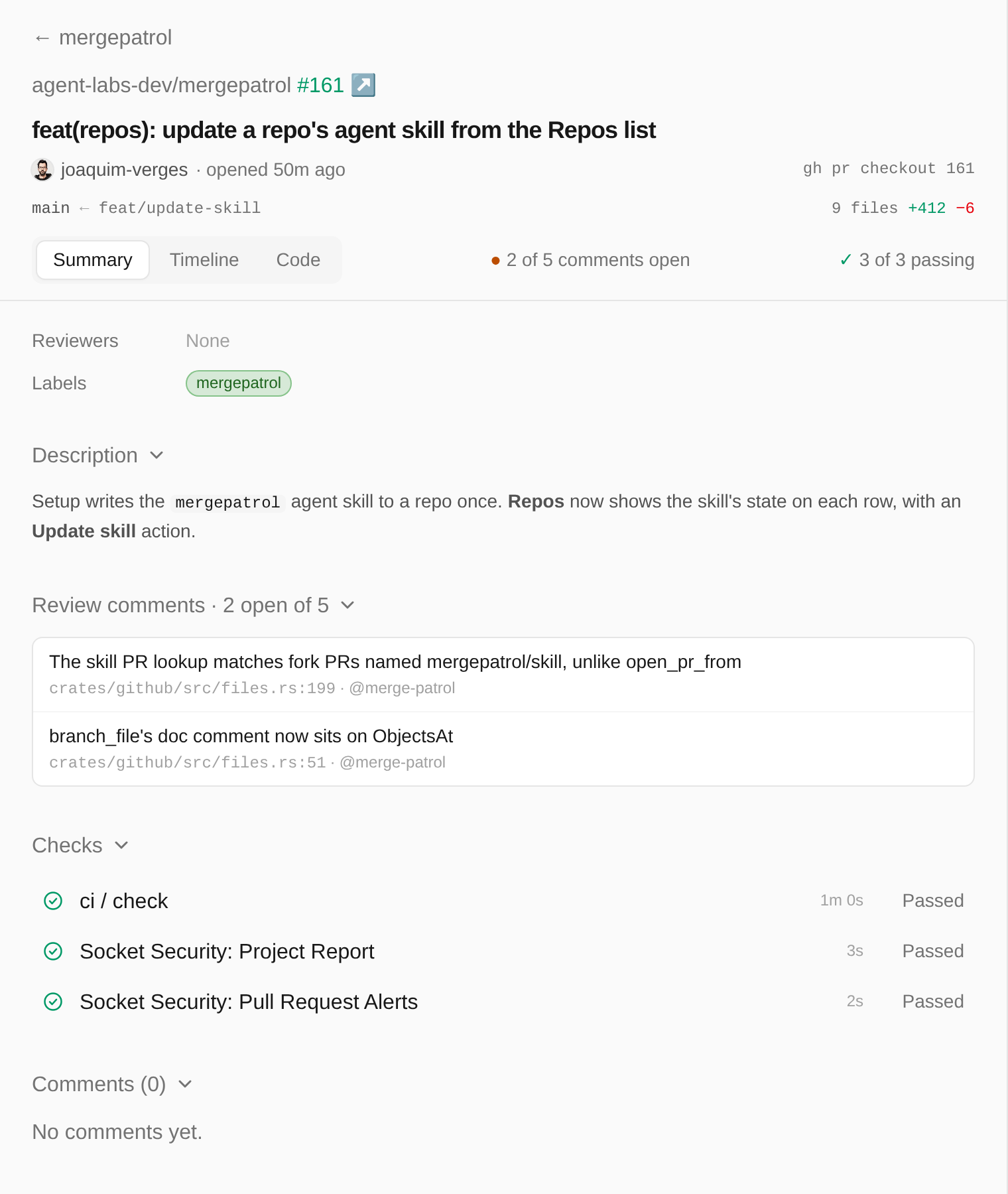
A PR’s preview now says how many of its review comments are still open, next to its checks: “2 of 5 comments open”, or “All 5 comments resolved”. Under the description, Review comments lists the open ones, each with its file and line, and links to its thread on GitHub.

See how many review comments are still open on a PR
More

The queue’s comment on a PR held for unresolved comments now keeps its count up to date as comments are resolved. Before, it kept the count from when the PR was first held.

Improved

Turn a repo on from the PR that needs it

A PR in a repo MergeLoop isn’t on yet has a Turn on MergeLoop button in the You tab. It opens that repo in Repos, where Set up opens the PR that adds the config file. An empty Queue page now has a Set up a repo button too.

Improved

Update a repo's agent skill from Repos

Setup adds MergeLoop’s agent skill to a repo once, so a repo set up before the skill changed keeps its old copy. Repos now shows whether each repo’s skill is up to date. If it isn’t, Update skill opens a PR that brings it up to date, and coding agents in the repo follow the new skill once that PR merges.

Improved

Your turn splits your PRs by what they need

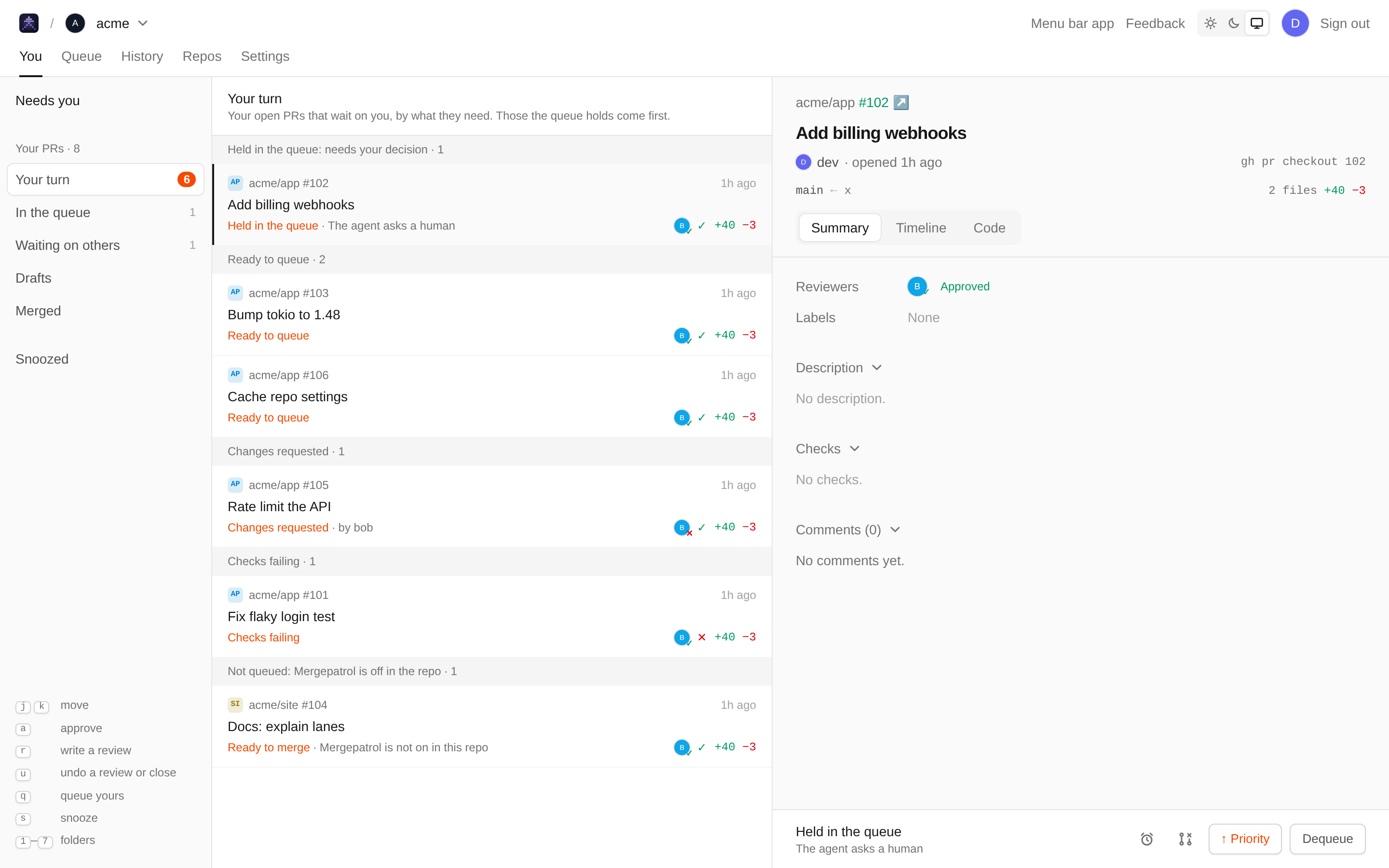
Your turn on the You tab now sorts your PRs into sections: held in the queue and needing your decision, ready to queue, changes requested, checks failing, and not queued because MergeLoop is off in the repo. You can see what to queue and what needs you at a glance. Empty sections don’t show.

Your turn splits your PRs by what they need

Fixes

  • Continue setup in the workspace you just installed

    After installing MergeLoop on GitHub and signing in, you return to that workspace’s Repos page to continue setup, even if you previously used another workspace.

New

Docs and pricing on the website

MergeLoop’s docs are on the website now, at Docs: getting started, how the queue works, the config file, pricing, the MCP server and API, and self-hosting. They are the same text as the README on GitHub, so the two always agree.

Docs and pricing on the website
Improved

Approving a PR on GitHub answers the agent's review

When the agent’s review asks a human about a PR, an approval on GitHub from someone who can push to the repo now counts as an answer: everything the review asked about is fine, and the PR moves on in the queue. A comment on GitHub can’t answer the review’s questions, so the first one while the review waits gets a reply on the PR saying where to answer.

Fixes

  • Approve your own PR into the queue

    Approving your own PR no longer fails with GitHub’s “Can not approve your own pull request”. When the repo needs no approval to merge, your approval takes the PR into the queue, and any note you add goes on the PR as a comment. When it does need one, MergeLoop says to ask a reviewer.

  • MergeLoop stays up while it updates

    MergeLoop no longer answers “unconditional drop overload” for a couple of minutes each time it updates.

  • Answering the agent's review moves the PR on at once

    After you answer the agent’s review, the queue shows the PR as waiting, or as sent back, right away. Before, it kept saying “Needs a human” until the queue finished the PR it was merging, which in a repo with slow CI could take many minutes. The same goes for the agent finishing its review while another PR merges.

  • Send back your own PR

    Sending back your own PR from the agent’s review no longer fails with GitHub’s “Can not request changes on your own pull request”. Your changes go on their lines as a comment review, and the PR still waits for your next push, when the agent reviews it again.

  • The You tab shows a queued PR as the Queue does

    A PR of yours that’s in the queue now shows the same detail on the You tab as on the Queue tab: “Needs a human” and the other review states, the agent’s questions with Answer them, and the queue’s activity. Both tabs use one detail pane, so they stay the same.

New#136

Everything the dashboard does, over MCP and the API

Coding agents and scripts can now do anything you can do in the dashboard: review a PR, read its diff and checks, see the queue and its history, change a repo’s settings, and more. Every dashboard action is an MCP tool at https://mergeloop.ai/mcp, and a route in the JSON API.

More

A GitHub token (gh auth token, a personal access token, or GITHUB_TOKEN in Actions) works for calls on one repo, where GitHub lets it read the repo. Calls across a workspace, such as history and settings, need a sign-in.

New#142

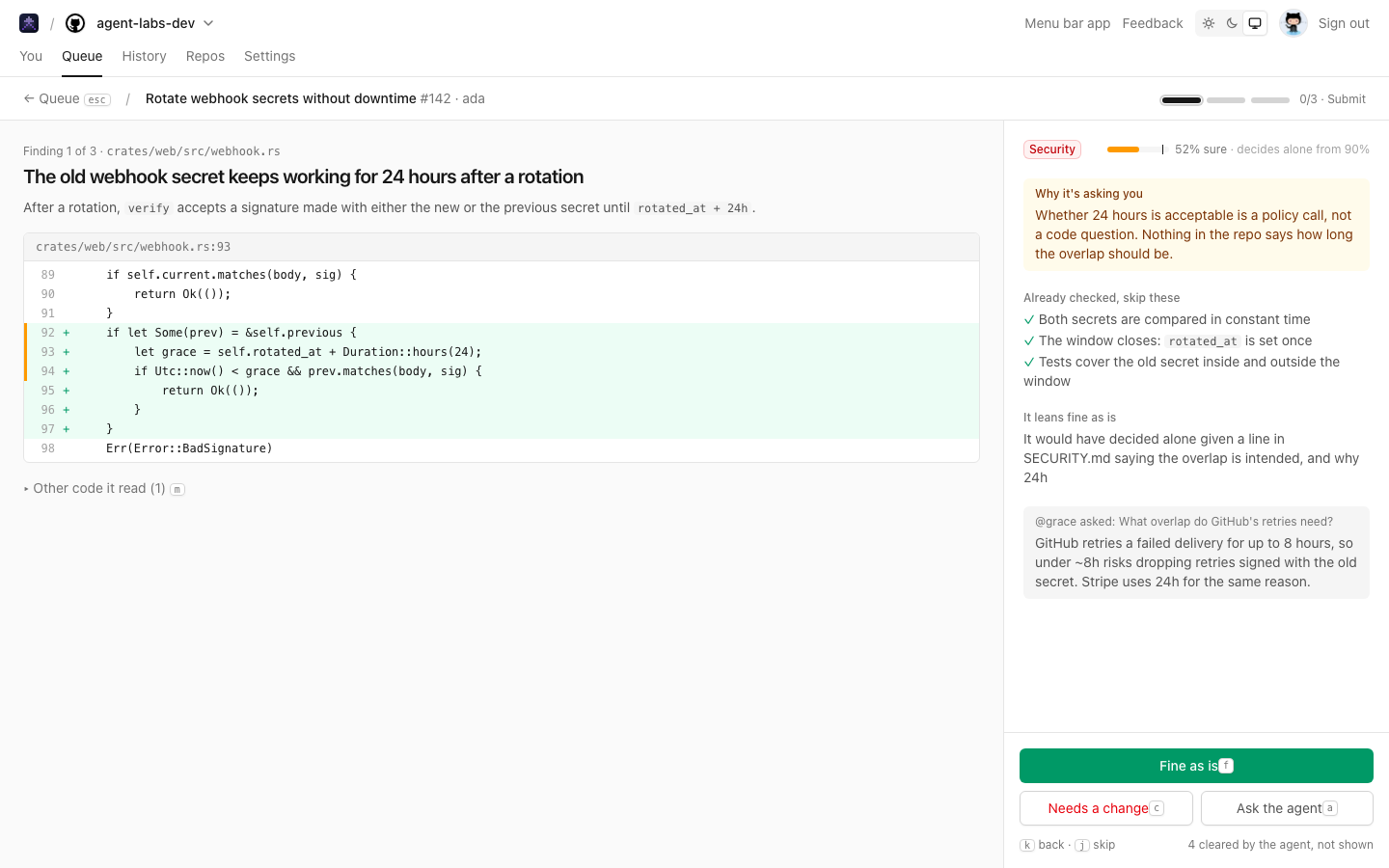
The agent reviews each queued PR, and asks you only what it isn't sure of

Turn on Automatic review in Settings, and an agent reviews every queued PR before it takes its place in line. It clears what it’s sure of on its own. What it isn’t sure of, it asks a person about: the PR shows Needs a human in the queue, and the code owners get a review request.
The agent reviews each queued PR, and asks you only what it isn't sure of
More

Answer them shows only those findings, one at a time, each with its code, why the agent was unsure, and what it already checked. Mark each fine as is, ask for a change on its line, or ask the agent to dig further. Your answers go to GitHub as your review: all fine, and the PR takes its place; a change, and it waits for the next push, then the agent looks again.

Set how sure is sure enough for each kind of change, against how the agent’s confidence has held up. Migrations always go to a person by default, and a repo can set its own bars in its config file.

New#130

Coding agents can queue PRs over MCP

Connect Claude Code, Codex or any MCP client to https://mergeloop.ai/mcp and your agent can queue a PR, take it out, and ask where it is, without adding labels and reading MergeLoop’s comment. It signs in with your GitHub account.

More
claude mcp add --transport http mergepatrol https://mergeloop.ai/mcp
New#102

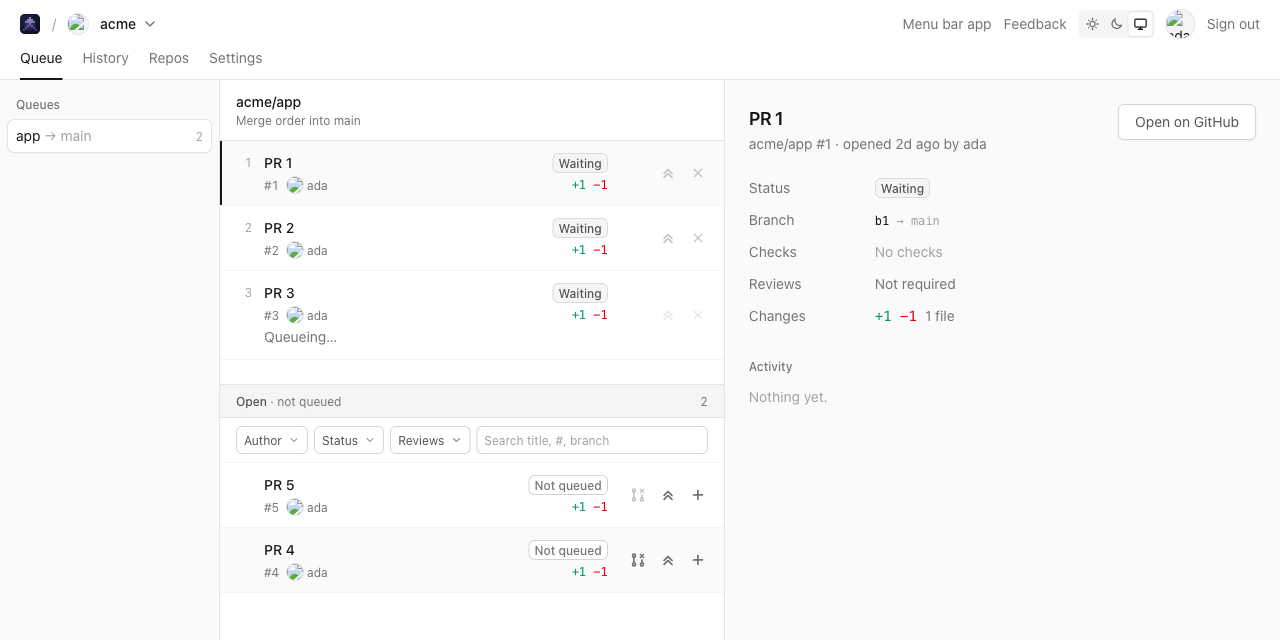
One queue per base branch

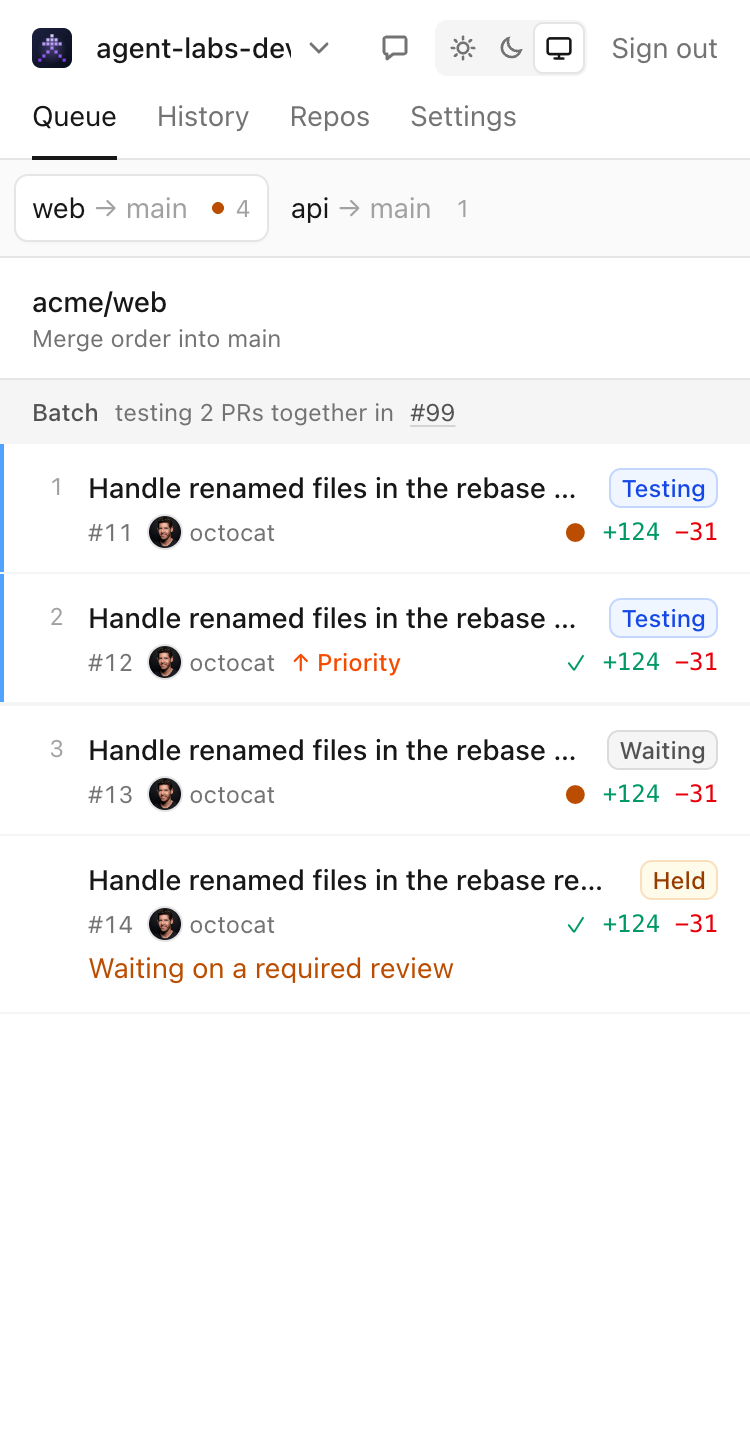
List branches such as release under branches in .mergepatrol/mergepatrol.yml, or in a repo’s settings, and PRs into them get a queue of their own. They no longer wait behind, or batch with, PRs into main.

New#132

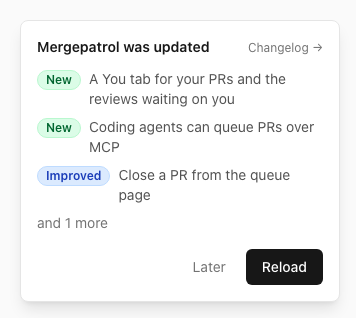
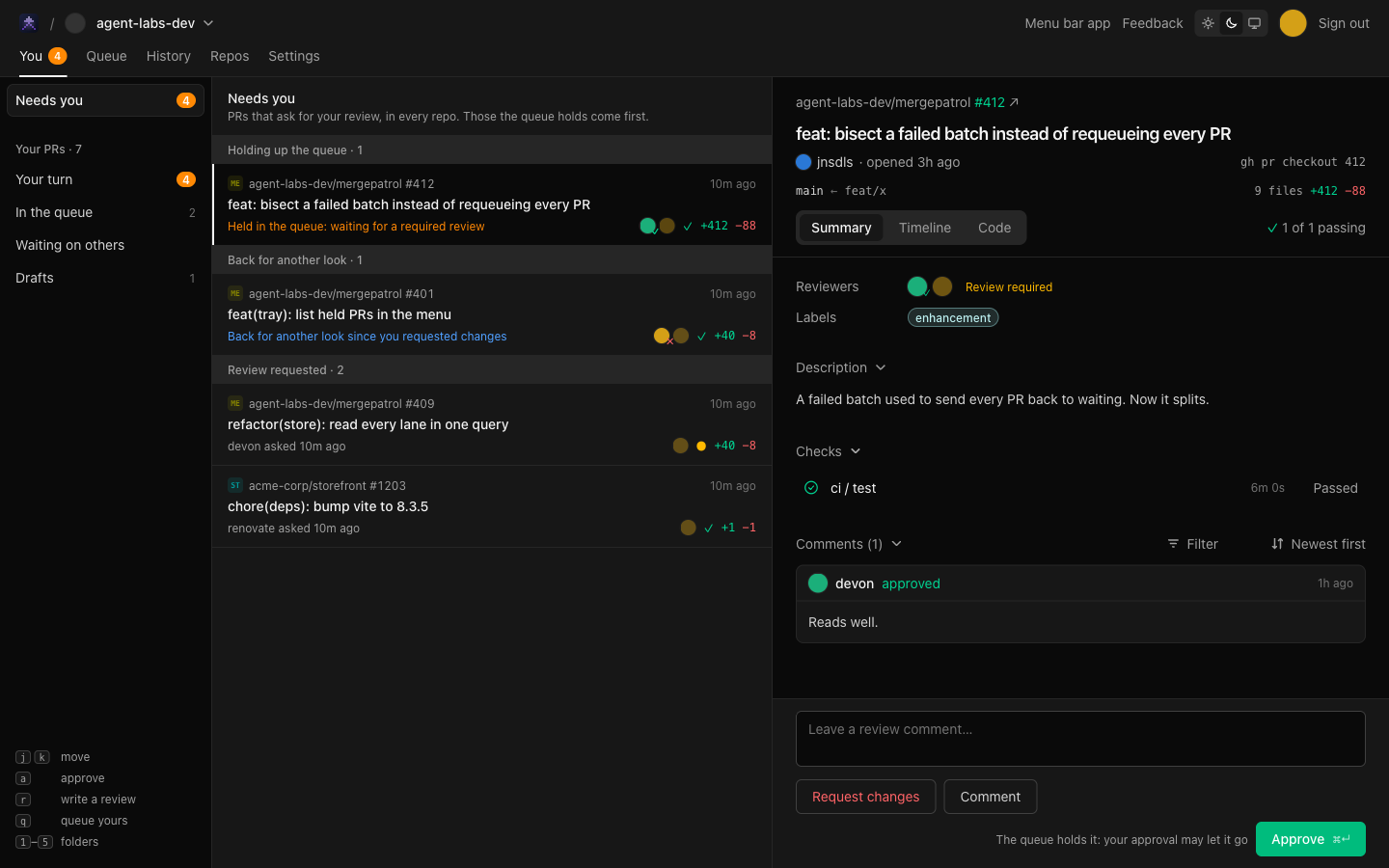
A You tab for your PRs and the reviews waiting on you

You gathers your open PRs from every repo, and the PRs that ask for your review or your team’s, in one place. Your PRs are sorted by whose move it is: your turn, in the queue, waiting on others, drafts, and what merged this week.
A You tab for your PRs and the reviews waiting on you
More

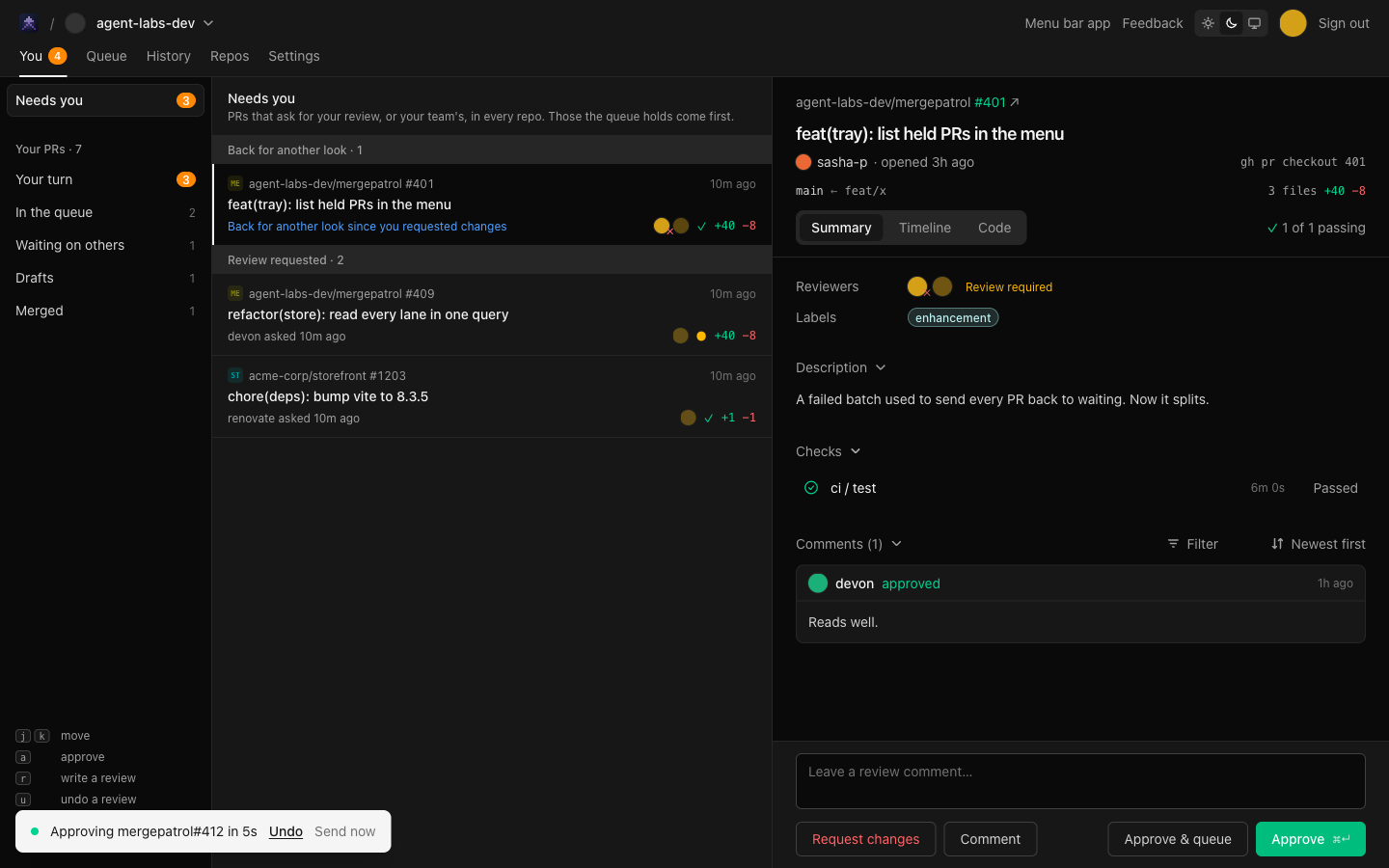
Approve, request changes or comment without leaving the tab. Each review waits five seconds with Undo before it goes to GitHub, since GitHub can’t take one back.
A PR held in the queue until it gets a review

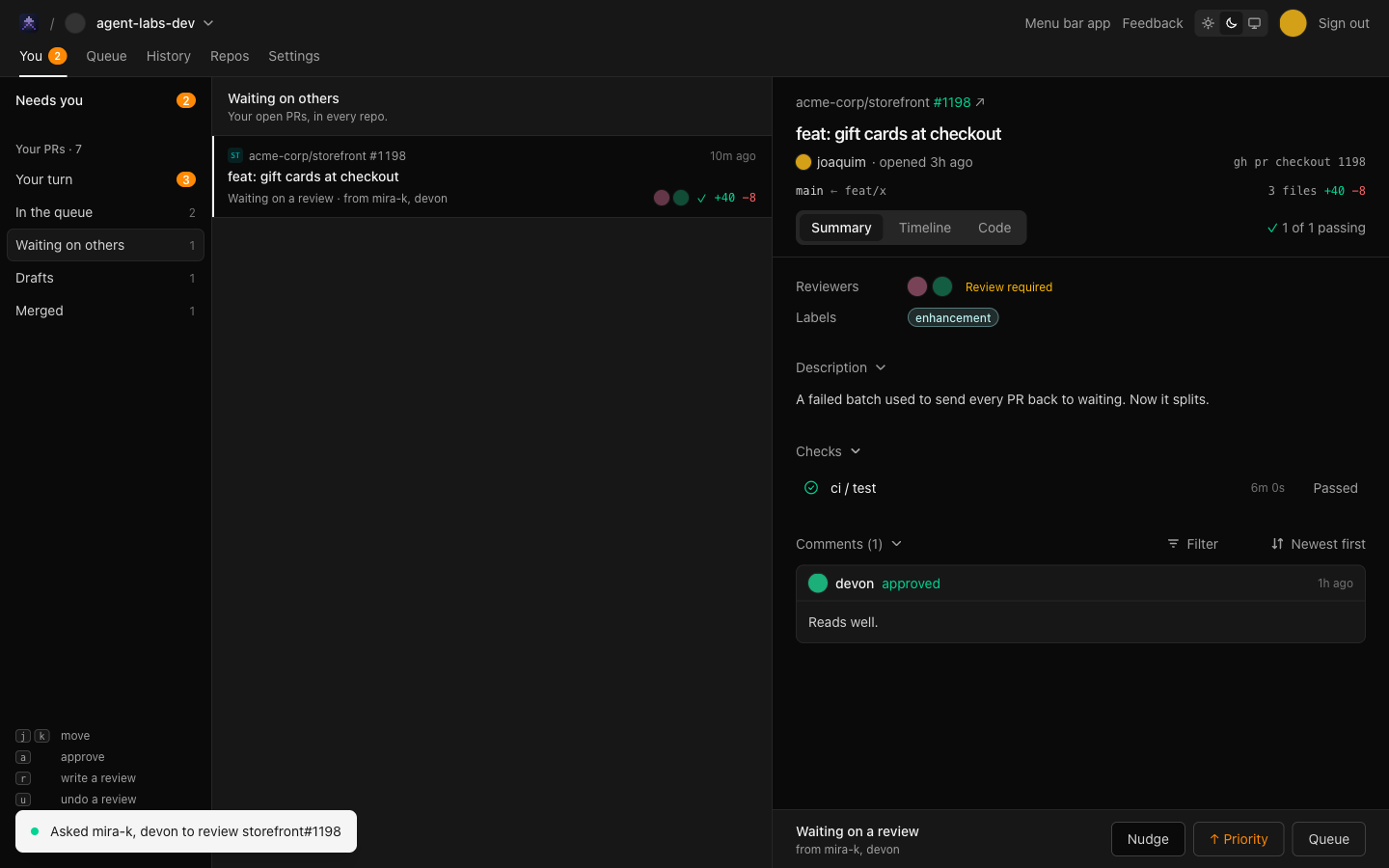
When a PR waits on reviewers who haven’t answered, Nudge comments with an @mention of each.
The Nudge button on a PR waiting on others

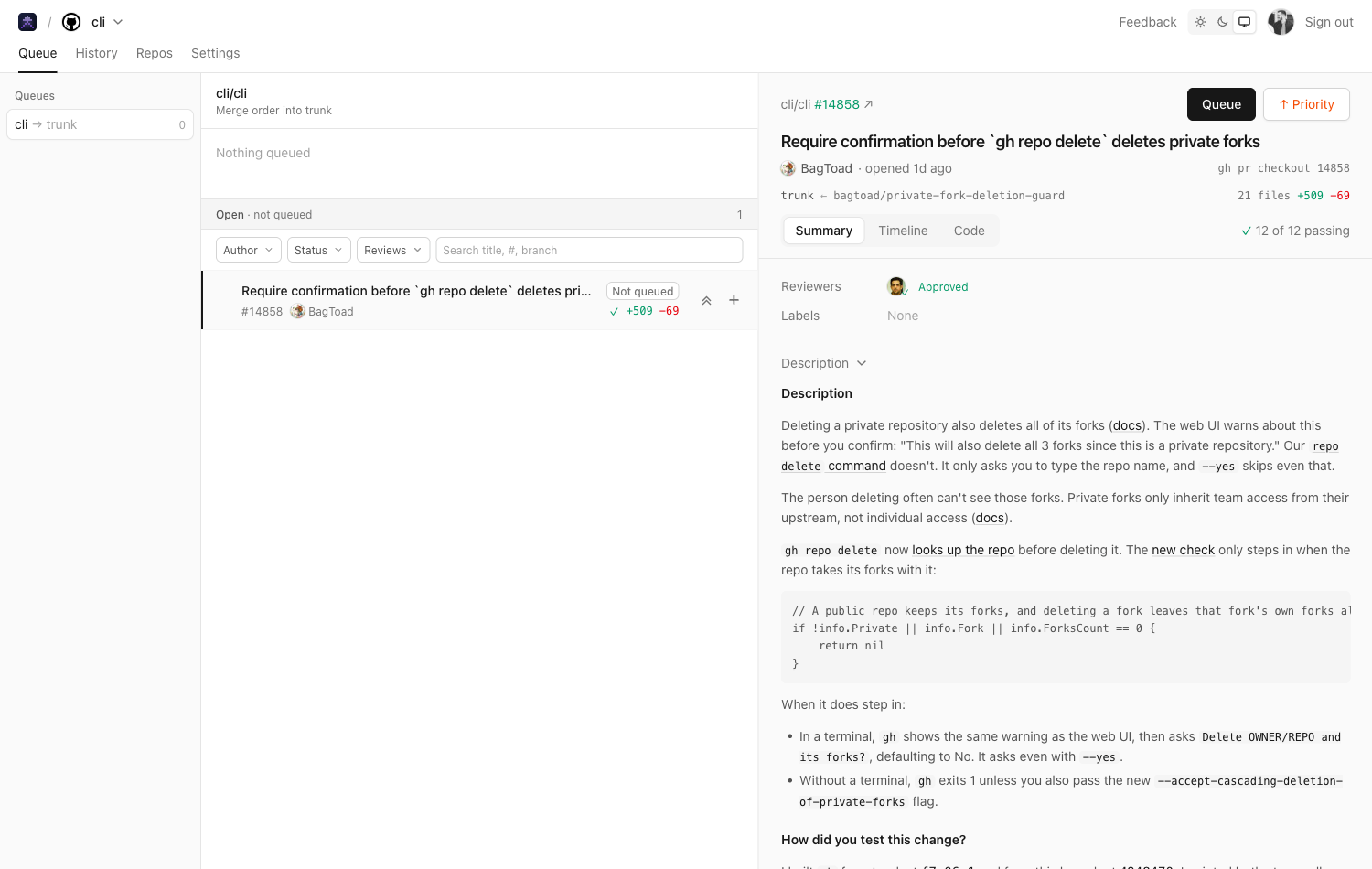
Improved#125

Close a PR from the queue page

PRs in the Open · not queued list have a close button. It asks first, then closes the PR as you, so GitHub decides who may: anyone with triage access, or the PR’s author.
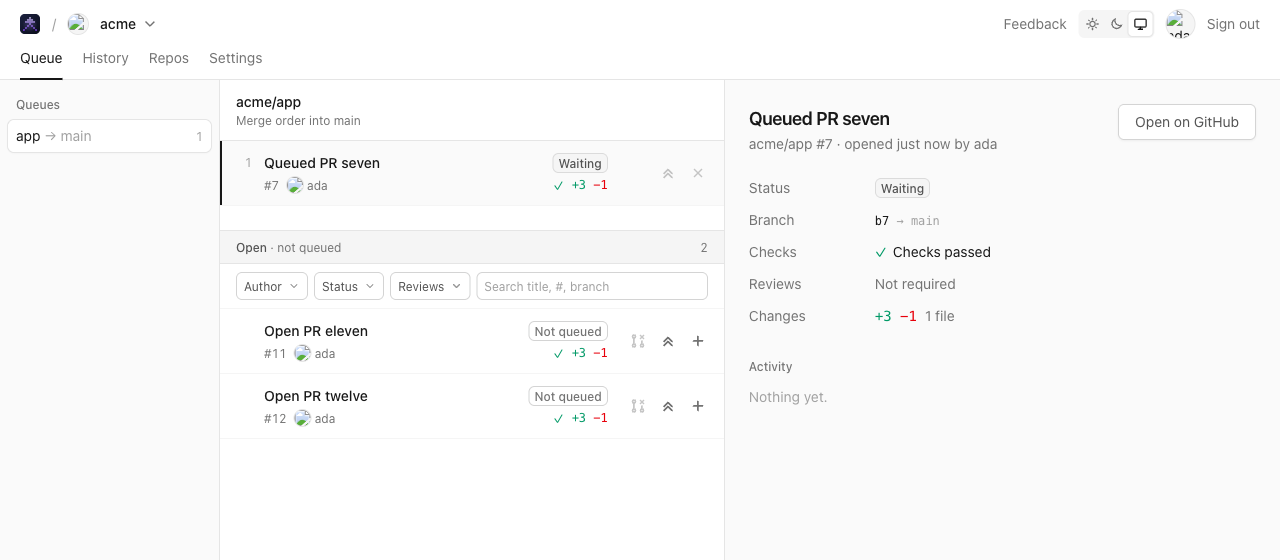
Close a PR from the queue page
Improved#140

Snooze a PR, or close one you no longer want, from the You tab

The clock button snoozes a PR until later today, tomorrow, next week or in a month. It comes back sooner if someone else comments or reviews. Press s to snooze the PR you’re on.
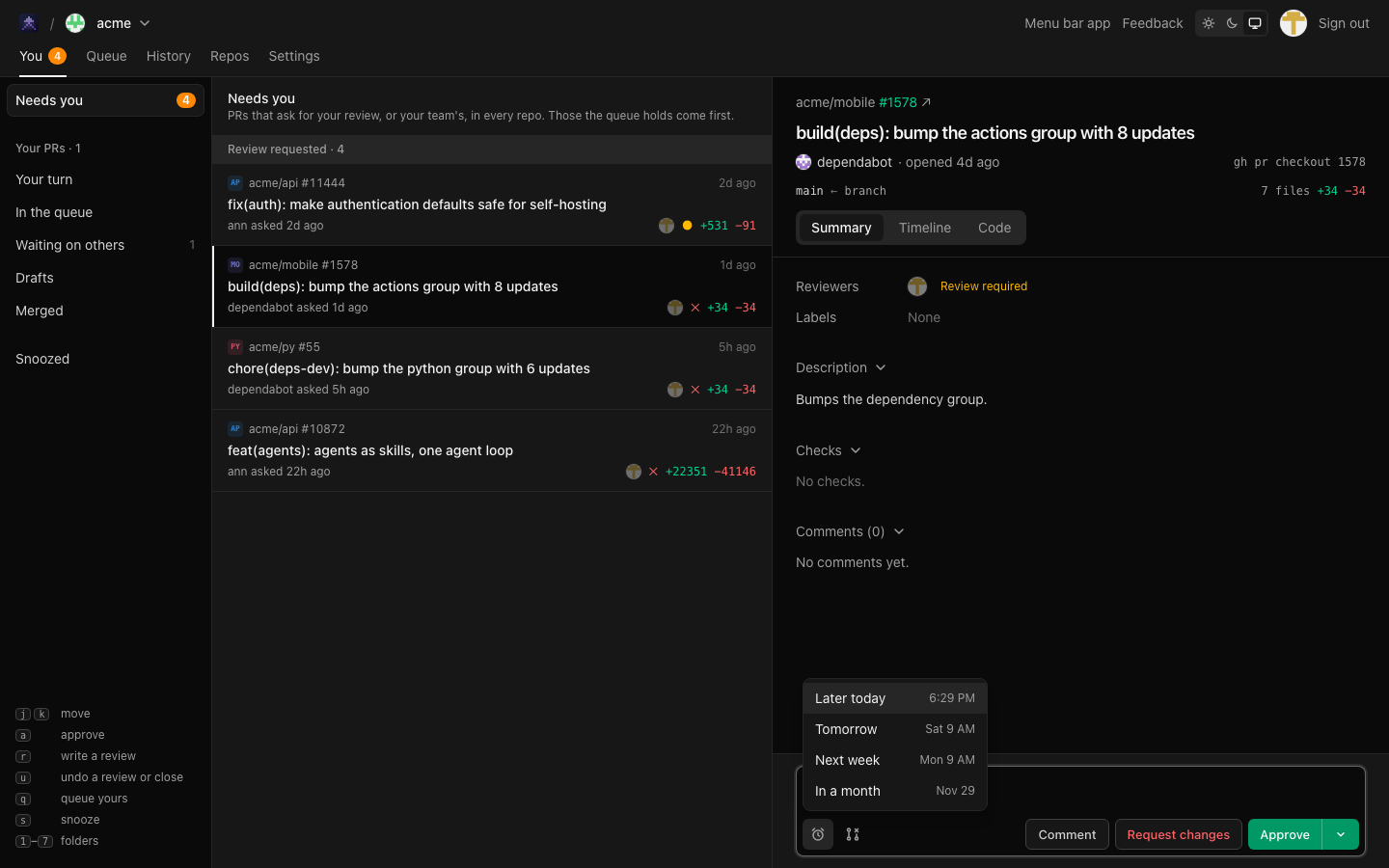
Snooze a PR, or close one you no longer want, from the You tab
More

Snoozed PRs wait in their own Snoozed folder, where Unsnooze brings one back early.
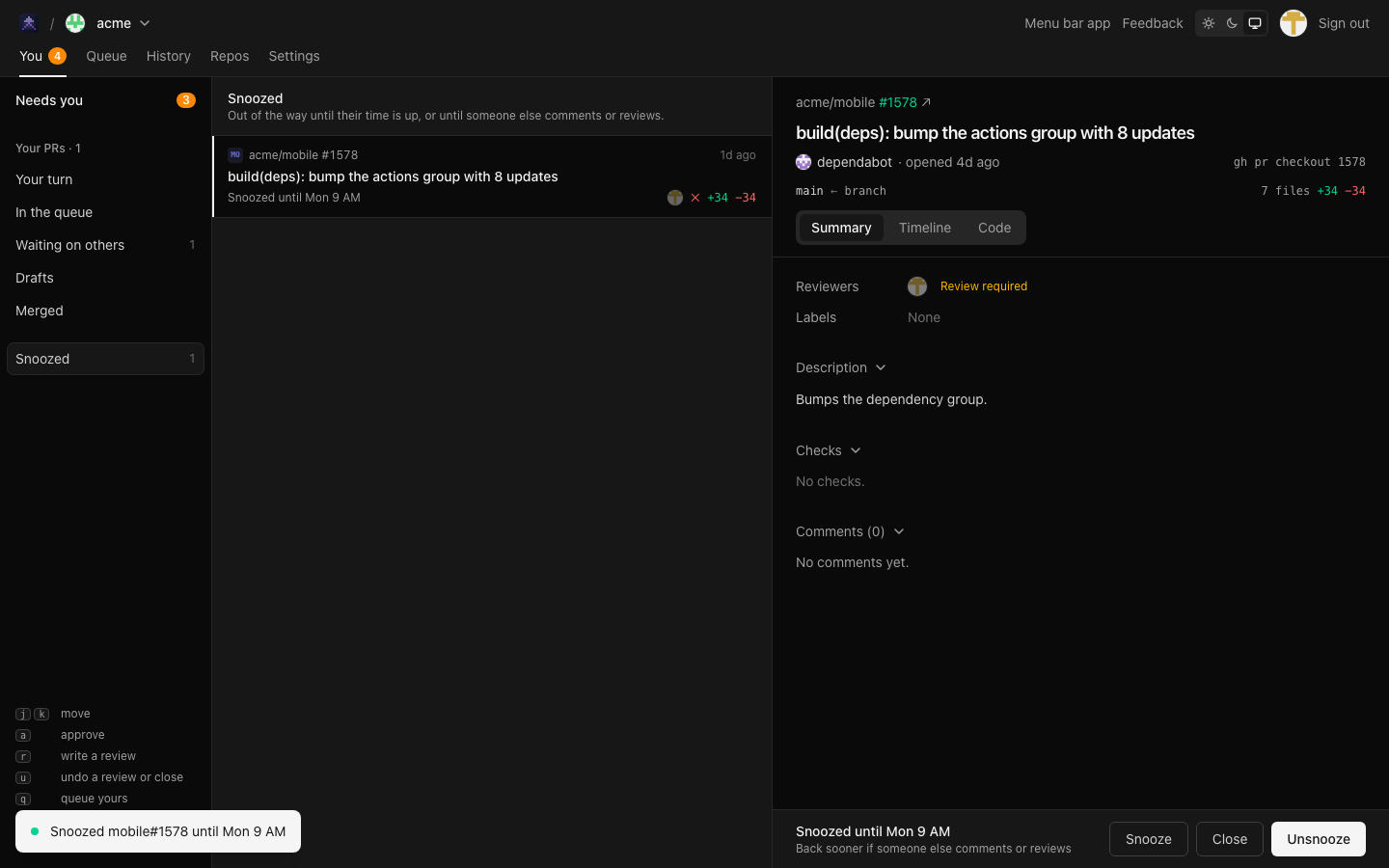
The Snoozed folder

The close button beside it closes a PR that went stale, such as an old dependency bump, as you on GitHub. Like a review, it waits five seconds with Undo first.

Approve and Approve & queue are now one button, like GitHub’s merge button. Pick one from its menu and it does it, and the button keeps doing that on the next PR until you pick the other.

Improved#141

Clearer notifications that stack

Notifications now stack in the bottom right corner instead of piling up in two places. Hover the stack to see all of them, or swipe one away.
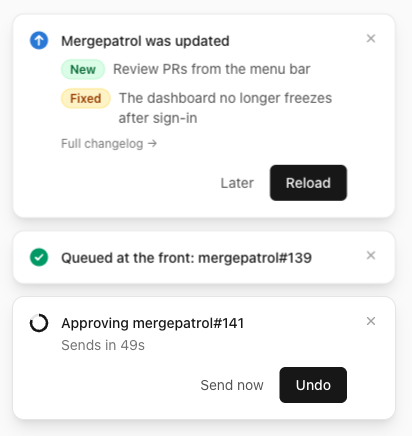
Clearer notifications that stack
More

A review or a close from You shows a ring that runs down while you can still Undo. When it goes to GitHub, the same notification changes to say it’s done.

Improved#126

Download the menu bar app from the dashboard

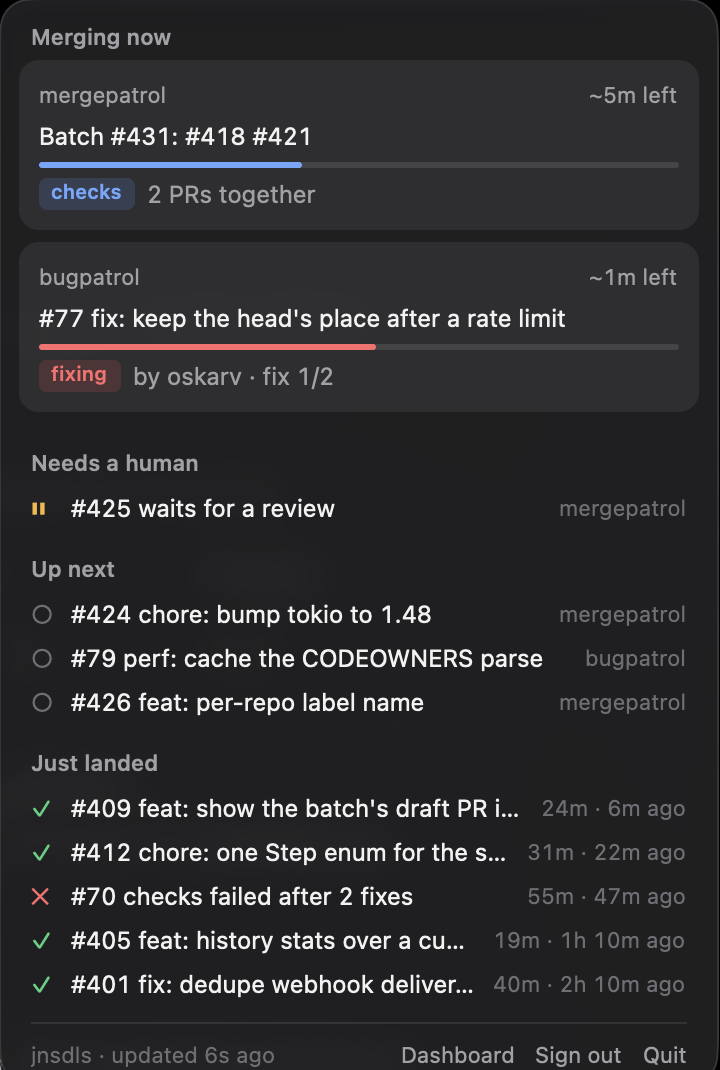
The dashboard header links to the latest macOS menu bar app, built on every change. It isn’t notarized yet: the first time, open it from System Settings › Privacy & Security › Open Anyway.

Fixes

  • PRs with an empty commit get through the queue #114

    A PR with a git commit --allow-empty in it, often pushed to rerun CI, was ejected on every try. It now lands, with the empty commit kept.

  • The History page no longer blanks when you switch repos #117

    The last repo’s numbers stay on screen, dimmed, until the new ones load.

  • A PR merged by hand mid-job leaves the queue cleanly #133

    If you merge or close a queued PR yourself while its checks run, the queue now lets it go instead of trying to rebase a branch that’s gone. Hosted jobs also start warm about 95% of the time, up from about 60%.

  • The dashboard opens after you sign in again #139

    Signing in, or opening a link to a workspace by a name that isn’t its GitHub login, froze the dashboard. It now opens your workspace.

  • Queue rows keep their state badge on one line #116

    A long PR title no longer wraps “Not queued” onto two lines.

New#62

Queue PRs from forks

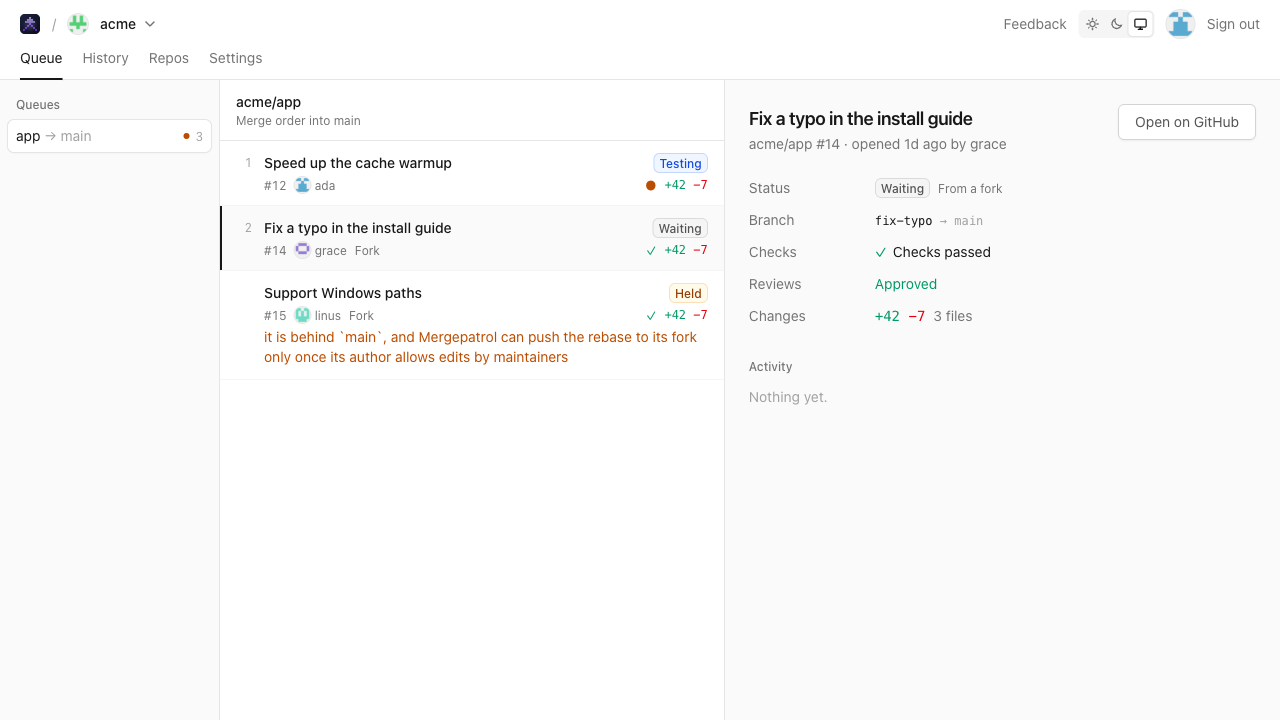
PRs from forks can go through the queue. Their code never runs where it could reach the repo’s secrets.

Queue PRs from forks